
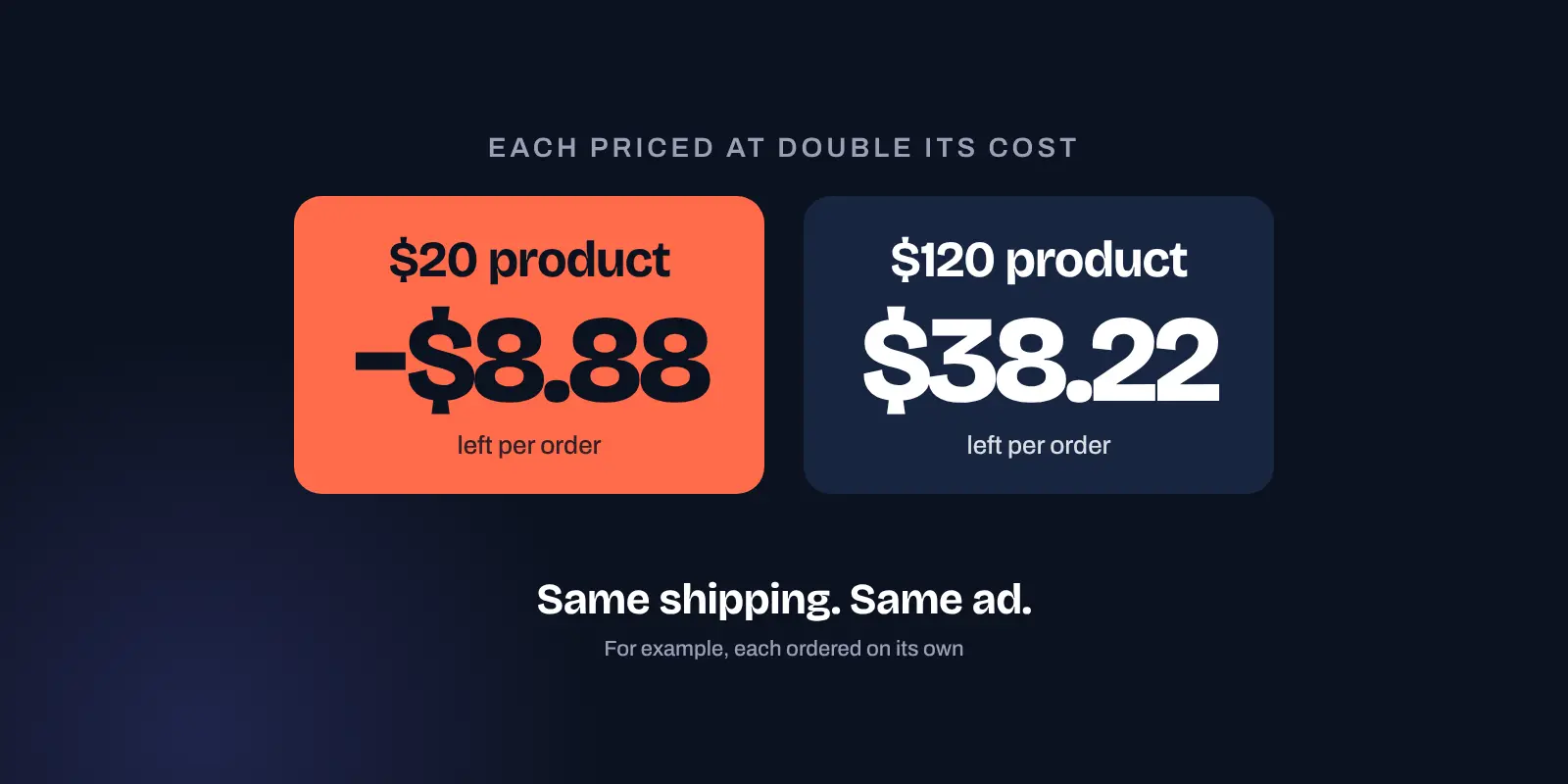
You price each product at double what it costs you. On your expensive products, that leaves plenty. On your cheapest, the half you keep can be less than the shipping and the ad on one order.
The usual product pricing formula stops at the product. But online, every order has its own shipping, packing, payment fee and ad to pay for, however little is in it. When a product is ordered on its own, its price has to pay for all of that. The lowest price that does is the product’s floor.
How to price a product: cost, a target margin, then the market
Pricing from cost is called cost-plus pricing. You start from what one unit costs you and your target margin, the share of each sale you want to keep. Doubling your cost keeps half of each sale, a 50% target margin. Shopify’s pricing guide gives the formula for any target:
- Price = cost ÷ (1 − target margin): $20 = $10 ÷ (1 − 50%)
Margin and markup are easy to mix up, because both describe the same profit. Take a product that costs you $80 and sells for $100. That leaves you $20 of each sale:
- Margin compares the $20 with the $100 price. You keep 20 cents of every dollar a shopper pays, so it’s a 20% margin.
- Markup compares the $20 with the $80 cost. You add 25 cents to every dollar the product costs you, so it’s a 25% markup.
Quote your target as a margin, as Shopify’s reports do.
Then check the price against the market. Competitor pricing looks at what similar products sell for, and value-based pricing at what shoppers think yours is worth. Both tell you whether shoppers will pay the price, not whether it makes you money. Online, the product is only one of a sale’s costs.
Product pricing online: every order pays its own costs
An online order has costs of its own, on top of the product. Shopify’s guide counts payment fees and shipping in the cost of each unit. But you pay them once per order, so they’re per-order costs. A product ordered on its own carries all of them. There are four:
- Payment fee. Shopify Payments charges 2.9% + 30¢ for an online card payment on the Basic plan in the US. The 30¢ is your fixed payment fee, the same on every order whatever it holds.
- Shipping and packing. This is what you pay to pack and send an order, less what the shopper pays you for shipping. Carriers charge by size and weight, not price: a cheap product costs as much to send as an expensive one of the same size and weight.
- Ad cost per order. This is what you spend on ads for each order they bring in. It doesn’t fall when the shopper picks a cheaper product.
- Returns. A return costs you its postage and any stock you can’t resell. Only some orders come back, so the example below leaves returns out. For a product that comes back often, add its return costs per order to its shipping and packing.
A cheap product ordered on its own has to pay for a whole order.
Your price floor: what one order of a product has to cover
A product’s floor is the lowest price it can sell at when it’s ordered on its own. At that price, the sale pays for the product and the per-order costs, with nothing left over. For example, take two products at double their cost, each ordered on its own, with the same shipping and ad cost. Only the payment fee is Shopify’s; the other figures are our example.
| Each order | $20 product | $120 product |
|---|---|---|
| Product cost | $10 | $60 |
| Payment fee, 2.9% + 30¢ | $0.88 | $3.78 |
| Shipping and packing | $8 | $8 |
| Ad cost per order | $10 | $10 |
| Left | −$8.88 | $38.22 |
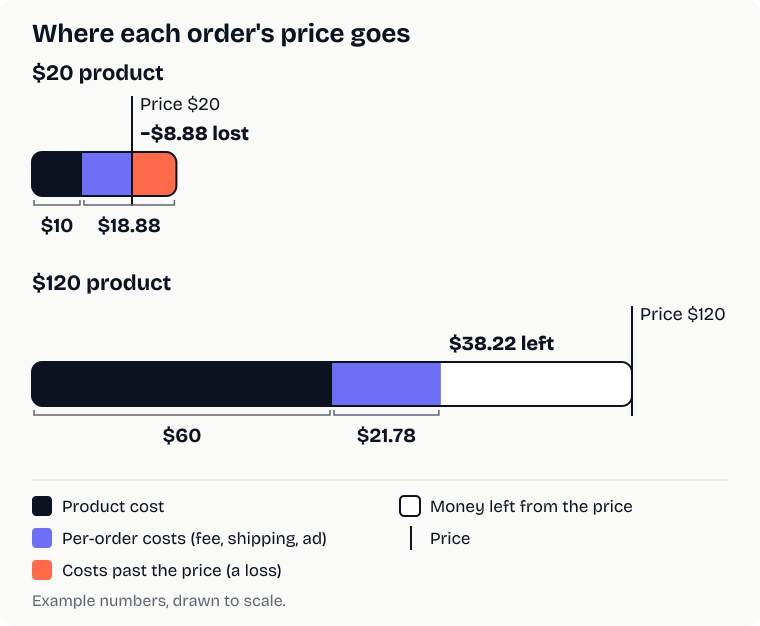
To find a floor, add up the costs that stay the same whatever the price. They’re the product cost, shipping and packing, the ad cost per order and the fixed payment fee. For the $20 product, that’s $28.30. The price also has to pay the 2.9% part of the fee, which rises with it, so the floor sits a little higher, at $29.15:
- For the $20 product: $29.15 = $28.30 ÷ (1 − 2.9%)
- For any product: floor = (product cost + shipping and packing + ad cost per order + fixed payment fee) ÷ (1 − payment fee rate)
The floor is the least you can charge, not the price to aim for: anything above it pays your overheads and profit.
But in an order with other products, the per-order costs are shared, so a cheap product can sit under its floor and still make money.
Prices that include GST or VAT: take the tax out first
If your prices include tax, part of each one is tax you pass on. The floor has no tax in it, so take the tax out before you compare the two. To see if yours do, look in Settings > Taxes and duties for Include sales tax in product price and shipping rate.
You’ll do this by hand. For a taxable product, Shopify doesn’t show profit or margin beside its price when your prices include tax, because both depend on the tax rate. Divide the price by 1 plus the tax rate, the way Shopify works out the tax in a price. For example, at a 10% tax rate:
- Price before tax: $90.91 = $100 ÷ 1.1, the figure to compare with the floor
Find the products priced under their floor
Compare what each product sells for with its floor. Shopify’s Gross profit by product report lists each product’s net sales and net quantity. Dividing one by the other gives its average selling price, after discounts and refunds.
- Set a cost on every product. Go to Products, open a product, click Cost per item in the Price section, enter what one unit costs you and click Save. If the product has variants, each variant needs its own cost. Shopify records the cost when an order is placed, so orders from before you set it won’t have it.
- Write down your per-order costs. Note your shipping and packing per order, your ad cost per order, your payment fee rate and your fixed payment fee. Our post on what a good ROAS is shows how to work out shipping and payment fees per order from Shopify’s reports and your payouts.
- Work out each cheap product’s floor. Use the floor formula above, with the product’s cost per item.
- Open the product report. Go to Analytics > Reports, filter Category to Profit Margin and open Gross profit by product. Pick a recent month without a promotion, because discounts lower net sales. If you’ve only just set your costs, wait a month for orders to build up.
- Work out each product’s average selling price. Divide its net sales by its net quantity.
- Mark every product whose average selling price is under its floor. Each one loses money when it’s ordered on its own.
- Count how often each one is ordered on its own. It’s a count by hand, so keep it small: in the last 30 orders that hold the product, count the ones where it was ordered on its own. That count decides which fix below suits it.
Done
Fix a product under its floor: its price, its order or its ads
There are three ways to fix a product under its floor: raise its price, make its orders bigger or leave it out of your ads. The orders you counted show which one fits.
Shoppers would pay more: raise the price on a few products first
Shopify’s guide suggests testing a 5%–10% rise on a few products and watching how many sell. That closes only a small gap: in the example, a 10% rise takes the $20 product to $22. A product that far under its floor needs another fix as well.
When you raise a price, it’s tempting to show a higher “was” price beside it, so the rise looks like a saving. The “was” price your theme can show comes from the Compare-at price, which Shopify says to set to the product’s original price. In the US, the FTC’s Guides Against Deceptive Pricing say a former price must be one you offered regularly for a reasonably substantial time. A “was” price you never charged tells shoppers about a saving that isn’t there, so leave the compare-at price empty.
Usually ordered with other products: free shipping over a minimum, or a bundle
A product that’s usually ordered with others shares its order’s costs. The orders to fix are the ones where it’s ordered on its own. With free shipping on everything, you pay for a whole parcel out of the cheap product’s price. With free shipping only over a minimum, the shopper pays your shipping rate instead.
Set the minimum at your break-even order value, the smallest order that doesn’t lose money. If your products are priced at double their cost, half of what a shopper spends is left once the products are paid for. The order breaks even when that half pays for the shipping and packing, the ad and the payment fee. In the example, a $40 order pays its way:
- Products, at half the order: $20
- Shipping and packing, and the ad: $18
- Payment fee, 2.9% + 30¢: $1.46
- Left: 54¢
Work out your own with this formula, then round up:
- Break-even order value = (shipping and packing + ad cost per order + fixed payment fee) ÷ (target margin − payment fee rate): $38.85 = ($8 + $10 + 30¢) ÷ (50% − 2.9%)
- Check your minimum. In the contribution margin calculator, enter your minimum as Average order value. For Product cost per order, enter what the products in an order that size cost you: half the minimum at a 50% margin, or the minimum × (1 − target margin) at any other. If Contribution per order is above zero, the minimum leaves you money.
- Open your shipping rates. Go to Settings > Shipping and delivery and open your shipping profile.
- Edit the rate. Under Shipping zones, open the rate’s menu and click Edit shipping option.
- Set the minimum. Select Offer free shipping, enter your break-even order value, rounded up, as the minimum order amount, click Done, then Save. Orders under the minimum keep paying the rate.
Done
State the minimum on the product page and in the cart, so shoppers know what shipping costs before checkout. In a 2026 Baymard survey of 1,083 US online shoppers, 40% said they had abandoned a purchase because extra costs (shipping, tax or fees) were too high.
A bundle does the same job for a product that goes with a best seller. It sells the two as one product, so the cheap one stops paying for a parcel of its own. It also suits a store with no free shipping to set a minimum on. You’ll need an app to sell bundles, so choose one that lets you set the bundle’s price, and keep that price above the bundle’s own floor. Our post on bundle pricing shows how far that price can drop.
Mostly ordered on its own: bring its price up to the floor
A product that’s mostly ordered on its own has nothing else in its orders to share the costs. Only its price can pay for them, so raise it in steps toward the floor while it keeps selling. If sales drop before it gets there, leave it out of your ads, as the next section shows.
An order minimum, set with a checkout app, can look like a quicker fix. We don’t advise it. The minimum covers every order in your store, whatever is in it, so each small order is stopped at checkout, and some of those shoppers leave rather than add more.
Loses money only on orders an ad brought in: leave the product out of your ads
Some products lose money only when an ad brought the order in. Leave those out of your ads, and show them as add-ons on the pages of products they go with. Without the ad cost, the $20 product leaves $1.12 when it’s ordered on its own. As an add-on, it joins an order an ad brought in for another product. It makes money there if it adds less to the shipping and packing than it leaves.
On a coaching call we look at how each one sells, then choose its fix: a higher price, free shipping over a minimum, a bundle or leaving it out of your ads.
Measuring the fix: one report and one count each month
Check each fix once a month, in Gross profit by product and your count of orders. After a price rise, the product’s average selling price should move toward its floor while its net quantity holds. After free shipping over a minimum or a bundle, it should be ordered on its own in fewer of its last 30 orders. After you take a product out of your ads, watch its net quantity in case shoppers stop buying it.
Checklist
- Cost per item set on every product and variant, and your shipping and packing, payment fee and ad cost per order written down
- Each cheap product’s floor worked out and compared with its average selling price in Gross profit by product
- One fix for each product under its floor: a higher price, free shipping over a minimum, a bundle or leaving it out of your ads
- Any free shipping minimum set at your break-even order value or above, and stated on the product page and in the cart
- No compare-at price that the product never sold at
- Gross profit by product checked each month, with your count of how often each product is ordered on its own
On a coaching call we add up your per-order costs and work out the floor for each of your cheapest products.

A collective of ecommerce veterans with 15+ years across marketing, development and UX. We audit stores, coach teams and build tools for Shopify merchants.