
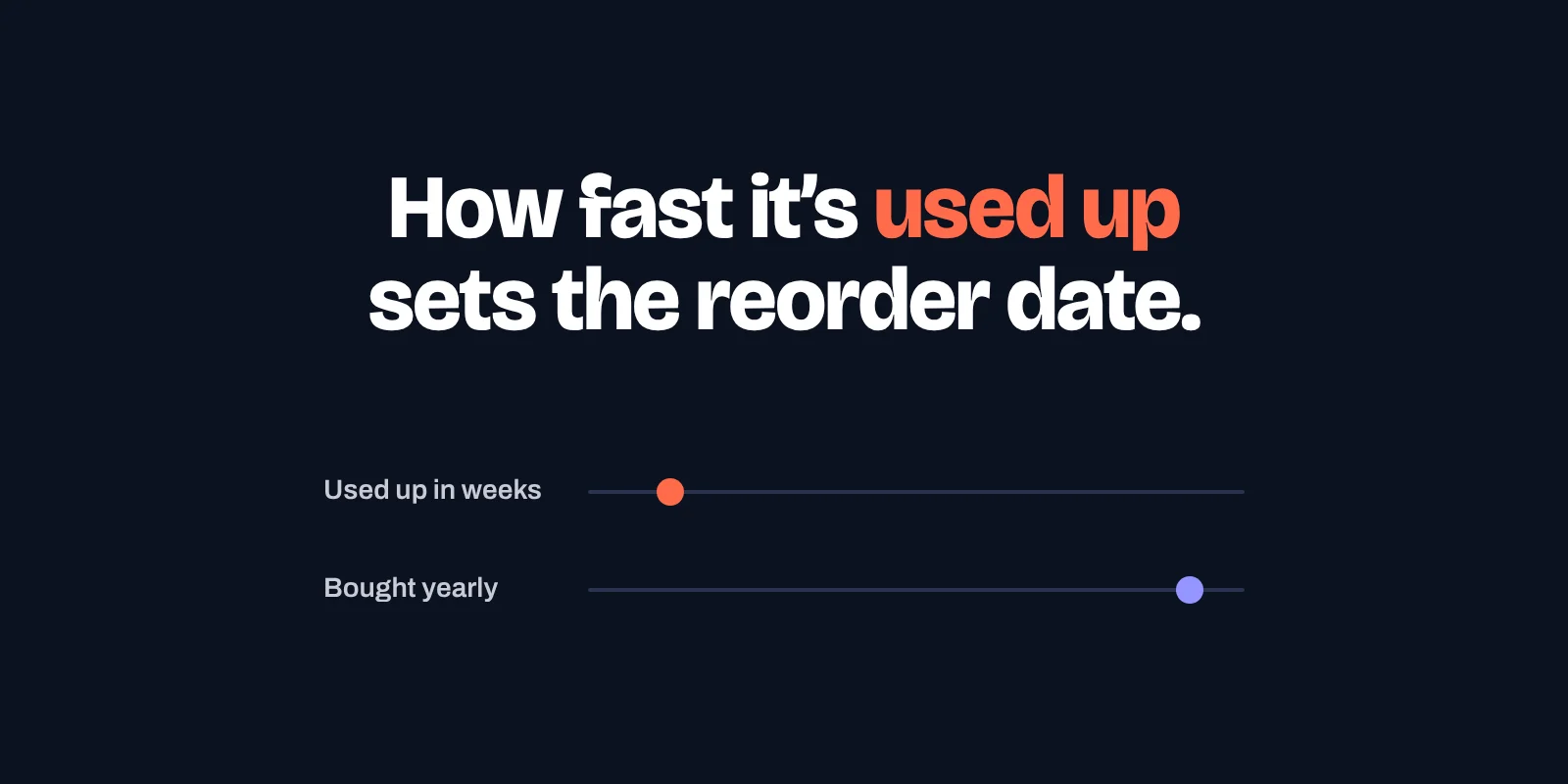
In Shopify Messaging, Klaviyo or whichever tool you use, the email after a first order waits as long as you tell it to. The right wait is already in your orders. When customers use a product up, how long it lasts sets when they’re ready to buy again. A reminder to reorder works best just before their supply runs low. A serum that’s used up in six weeks and a mattress that lasts for years need different emails after the first order.
Your repeat purchase rate says how many of your first-time customers come back, and Shopify’s cohort report says when. Read together, the two decide which email you build first.
How to calculate repeat purchase rate: skip the number that flatters you
Shopify’s returning customer rate flatters you, because a customer counts as returning if they’ve ordered from you before, even years ago. The money you’re leaving on the table is in recent first-time customers who haven’t come back yet.
Your repeat purchase rate counts only first-time customers, so it’s the number an email can move. It’s the share of one month’s first-time customers who order again within a window you name. For example, say fewer than one in ten of March’s first-time customers ordered again within 90 days:
| Ordered again within 90 days | March’s first-time customers | Repeat purchase rate |
|---|---|---|
| 36 | 400 | 36 ÷ 400 = 9% |
Always name the window. A longer one can only raise the rate, so a rate without its window can’t be compared with anything, not even your own from last year.
What’s a good rate to aim for: above your own from last year
A good repeat purchase rate is one above your own from last year, because there’s no benchmark to hit.
One published sample shows how far apart stores are. In it, the typical store saw 13% of its first-time customers order again within 90 days. The share grew with time, to 22% within a year. By then, half of stores fell between 12% and 30%.
A single sample can’t tell you where your store sits, and a spread that wide makes a poor target. Compare with yourself instead: last year’s rate, over the same window, for customers whose first order was the same product.
When your customers come back: read the cohort report before you build
Shopify’s customer cohort analysis report shows your reorder window, the weeks or months when repeat orders bunch up. The report groups customers by the month of their first order, so everyone who first ordered in March shares a row. The columns along that row are the months after March. With the measure the report calls customer retention rate, each column gives the share of March’s customers who placed an order in that month.
To find your reorder window, read it like this:
- Filter by the product in the first order. Start with your best seller, so its customers aren’t mixed in with buyers of something that lasts for years.
- Read along a row, past the month of the first order. Someone who first ordered on 28 March had only a few days of March left to come back in, so that month isn’t a fair comparison. The months after it with the highest share are your reorder window for that product.
- Switch to weeks if the highest share comes in the first month or two. Each row then holds one week’s first-time customers, and each column is a week after that. A small store has only a few customers in each row, so look for a week that stands out across several rows, not one high figure.
The report gives you the window, not your repeat purchase rate, because a customer who orders in two different months counts in both.
Your reorder window picks the email: build that one first
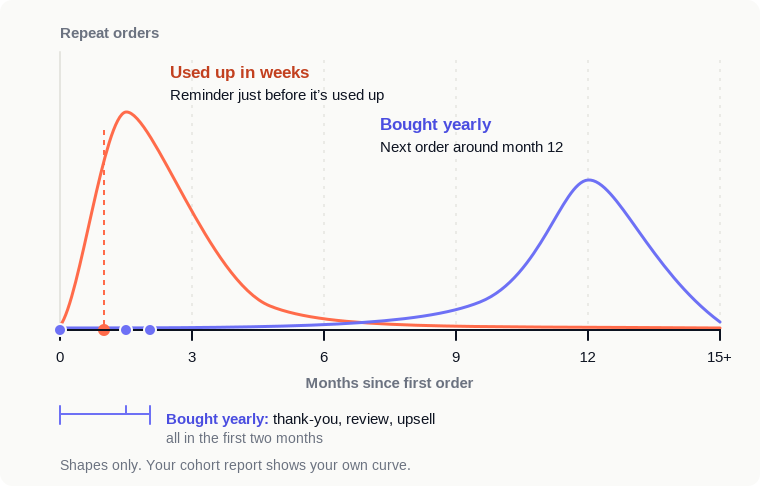
A win-back email at 30 or 90 days is a guess at when customers are ready to buy again, and your reorder window replaces that guess. Hold the win-back until repeat orders tail off, because until then the customers it reaches are still on their way back. Find the line below that matches when your best seller’s customers come back, and build that email first.
| When they come back | Build first |
|---|---|
| Within weeks, as they use it up | A reminder just before they finish it |
| Within months | A thank-you, then an upsell just before they’re due back |
| After a year or more | A thank-you, a review request and an upsell, all in the first two months |
A reminder for a product used up within weeks works best as a choice, not a yes-or-no question. Offer the same product again or a similar one to try, each with a link to its own product page. “Want to reorder?” is easy to answer with no. “The same serum again, or try our night serum?” asks which one they’d like.
The reminder comes down to two decisions: who gets it, and when. It goes to customers who bought that product and haven’t ordered again yet. Send it a few days before repeat orders bunch up, while they still have some left. For example, if your serum’s repeat orders bunch up six weeks after the first order, send the reminder at about five and a half weeks.
Each product your customers use up needs its own reminder, timed to how long that product lasts. If you sell many of them, each lasting a different time, building every reminder by hand gets slow, and that’s when a reminder app is worth paying for. Choose one that sets each product’s timing from how long it lasts, so you don’t have to.
Each choice in the reminder opens a product page. A CRO audit checks those pages on a phone, the way a returning customer sees them, and ranks the fixes worth making first.
When customers come back after a few months, send a thank-you right after the first order. Then send an upsell just before repeat orders bunch up, because they’re about to buy again, and fill it with products that go with their first order.
When the next order is a year or more away, send your emails early, in the first two months while the purchase is fresh, not when that order is due. Start with a thank-you right after the first order, then ask for a review once they’ve had a few weeks with what they bought. A few weeks after that, send an upsell, such as covers for a mattress. Leave out loyalty points, because they reward the next order, and that’s a long way off.
Send these emails only to customers who agreed to hear from you. In Shopify Messaging, automations go to subscribers by default: people who signed up, not every past customer.
For anything customers use up, the reminder works best just before their supply runs low.
What a second order is worth: the most to spend winning one
A second order is worth the profit it makes, not its price. The customer lifetime value calculator shows what a customer is worth in profit across all their orders. The email after a first order is there to win the second, so that’s the one to count here.
To see what the email earns, compare it with sending nothing. For example, take 100 first-time customers and count their second orders within 90 days. Say that:
- with no email, 10 of them order again, and an email lifts that to 12
- half of every $60 order is profit, so each second order earns you $30
- a 15% code takes $9 off each order that uses it, and wins no orders of its own
The email goes to all 100 first-time customers, so the 10 who’d have come back anyway get the code too. Say half of them use it, because some order without opening the email. The 2 customers the email wins back order from it, so both use the code.
| Per 100 customers | No email | Email, no code | Email with a 15% code |
|---|---|---|---|
| Second orders | 10 | 12 | 12 |
| Orders using the code | 0 | 0 | 5 + 2 = 7 |
| Cost of the code | $0 | $0 | 7 × $9 = $63 |
| Total profit | 10 × $30 = $300 | 12 × $30 = $360 | 12 × $30 − $63 = $297 |
The code costs $63, more than the $60 of profit the email adds. The email with a code leaves you less than sending nothing, and $63 less than the email without one, so launch it without a discount.
A code pays only when it wins second orders the email alone wouldn’t. Their profit has to cover the discount on every order that uses it, which sets how deep it can go. Say a code you test later wins 3 orders of its own, and they all use it:
- Profit on the code’s 3 orders: 3 × $30 = $90
- Orders using the code: 5 + 2 + 3 = 10
- Most off each one: $90 ÷ 10 = $9
- As a share of a $60 order: $9 ÷ $60 = 15%
| Per 100 customers | No email | Email, no code | Email with a 15% code |
|---|---|---|---|
| Second orders | 10 | 12 | 15 |
| Orders using the code | 0 | 0 | 5 + 2 + 3 = 10 |
| Cost of the code | $0 | $0 | 10 × $9 = $90 |
| Total profit | 10 × $30 = $300 | 12 × $30 = $360 | 15 × $30 − $90 = $360 |
At 15% off, the email with this code leaves you $360, the same as the email without one. If the code wins fewer orders or takes more off, you’re better off without it.
How to know the email worked: ignore the sales it’s credited with
Don’t judge the email by the sales your email tool credits to it, such as the orders in Shopify’s automation report. Those sales include orders from customers who’d have come back anyway, so they flatter it.
Judge it by your repeat purchase rate instead: the months before it went live against the months after. Keep the window and the product in the first order the same on both sides, so the email is the only thing that changed. If your sales move with the seasons, compare with the same months a year earlier.
If your tool can hold some customers back from the email, compare their repeat purchase rate with everyone else’s. The gap shows the email’s extra orders. But a gap of 2 in every 100, like the one in the example above, is hard to measure precisely. It takes thousands of first-time customers in each group to see it clearly, so with a few hundred a month, the before-and-after rate is your answer.
Key takeaways
- Send the reminder just before a customer’s supply runs low, with a choice: the same product again or a similar one.
- Your cohort report shows when customers come back, and that window picks the email to build first.
- Hold the win-back until repeat orders tail off.
- Launch without a discount code: it costs you on every order that uses it but earns only on the orders it wins.
- Judge the email by your repeat purchase rate before and after, never by the sales it’s credited with.
- Count only first-time customers and name the window. There’s no benchmark, so beat your own rate from last year.
On a coaching call we read your cohort report with you, find your reorder window and choose the email to build first.

A collective of ecommerce veterans with 15+ years across marketing, development and UX. We audit stores, coach teams and build tools for Shopify merchants.