
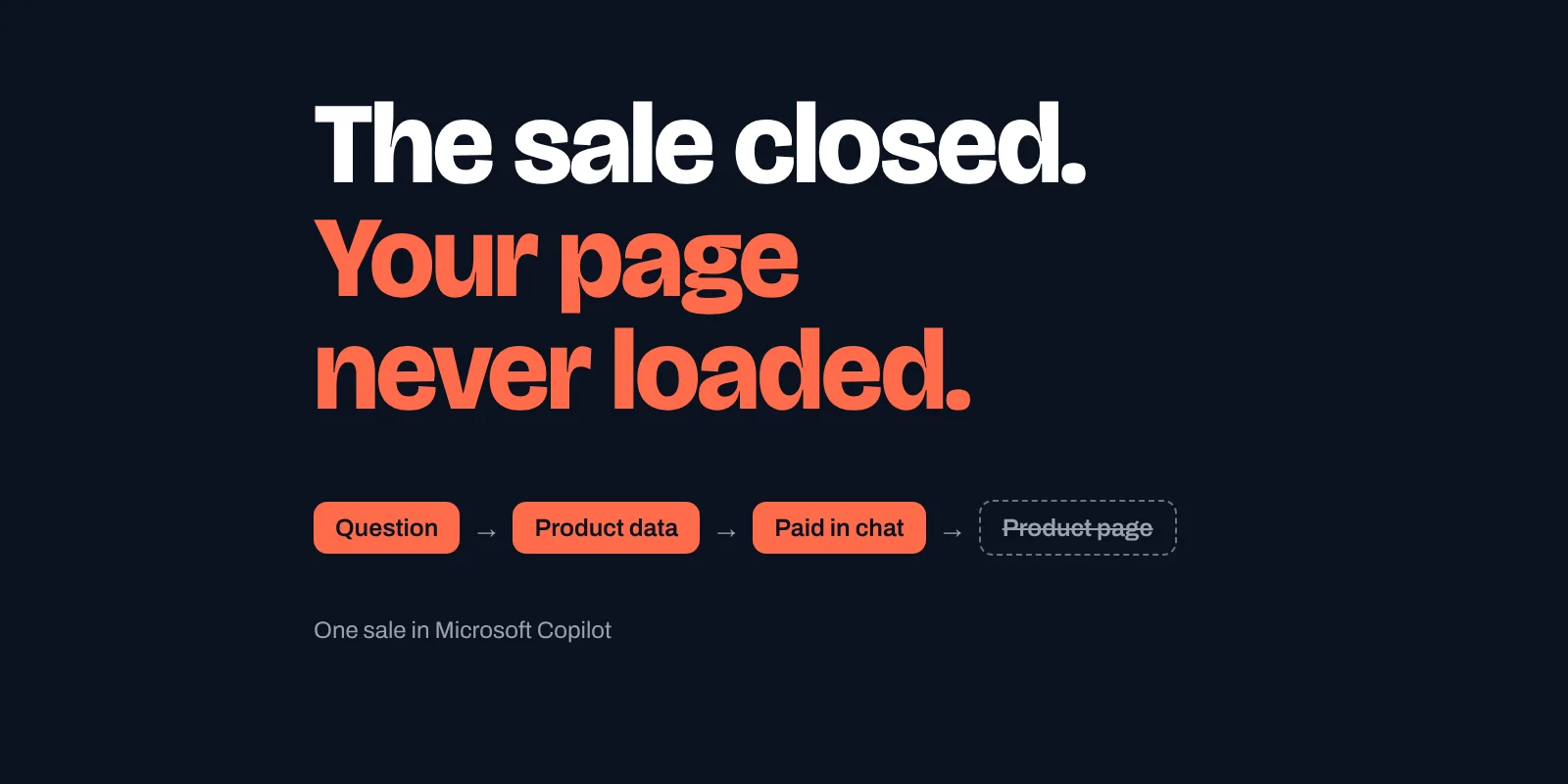
One of your products is the answer in a Microsoft Copilot chat. The shopper asked for a birthday gift under $60, in navy, that would arrive by Friday. Copilot suggested yours, and the shopper paid without leaving the chat. Your product page and cart never loaded.
Nothing on your site has to load for that sale, because Shopify lets US shoppers buy inside Copilot. The sale rests on what Copilot can learn about your store. You shape two parts of that: the product data Shopify sends Copilot and the store facts you publish. Copilot’s answer can draw on both.
What is agentic commerce: an assistant that buys, not one that only recommends
Agentic commerce is shopping in which an AI assistant acts for the shopper. It finds products, compares them and, in some assistants, places the order.
Placing the order is what sets it apart. An ad in a chat isn’t agentic commerce. Ads in ChatGPT are labelled and sit under an answer, and the shopper clicks through to your store to buy. An assistant that only helps with the search isn’t agentic commerce either.
Our shopper wanted more than help. Their request set three conditions: a price limit, a colour and a delivery date. Each one needs an answer from your store. Shopify sends Copilot your product data, which can answer the first two. The delivery date takes more work.
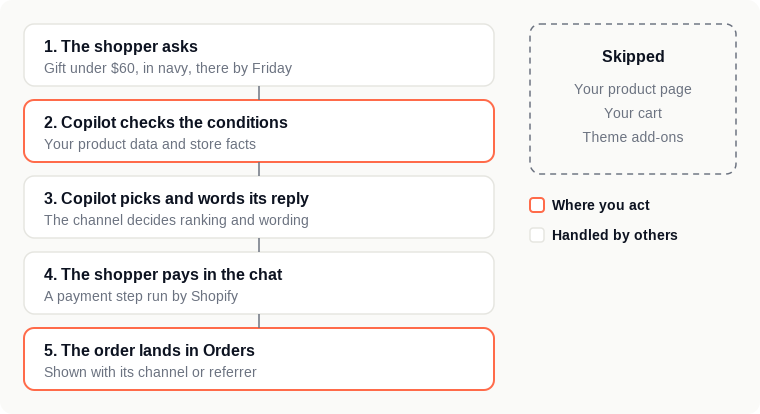
What the assistant can check: your product data and store facts
Copilot has two things from your store to work with: your product data and your store facts. The product data gave it the price and the colour. For each product, Shopify sends AI channels the title, description, options, images, price and availability, through Shopify Catalog, which keeps channels up to date on your prices and stock. Your price answers “under $60”, and your options answer “in navy”.
Checking that the gift arrives by Friday is harder. Shopify doesn’t document your shipping rates or delivery times, so your product data can’t answer it. That’s a job for your store facts.
Store facts cover your store as a whole rather than one product: where you deliver, your policies, whether you wrap gifts. They live in the Knowledge base, under Sales channels > Agentic. Shopify drafts them from your storefront, but only the facts you publish reach assistants, so a draft tells Copilot nothing. The Gifts section has spaces for gift wrapping and gift receipts, the next two things a gift shopper asks about.
If your Shipping section lists only the countries you deliver to, nothing you’ve published answers Friday. The one condition a birthday can’t move goes unanswered. Publish your delivery times under Additional facts. AI channels can use the facts you publish, and a delivery time you haven’t published gives them nothing to answer with.
Delivery cost puts the $60 limit at risk too. A gift priced just under it goes over once delivery is added. A cost met first at payment is an expensive surprise: 40% of the US shoppers surveyed said they had abandoned a purchase because shipping, tax or fees were too high. Your shipping policy is the place for those costs and your delivery times. The Agentic page asks you to update your policies “so AI agents can read them”.
For Copilot, product data and store facts are the two sources Shopify documents, and each channel controls the final ranking, wording and shopping experience. You decide what Copilot has to go on. Copilot decides whether to pick your product and how to describe it. Where the shopper pays depends on the assistant.
Agentic commerce examples: where each assistant takes payment
Copilot is one of Shopify’s AI channels, with ChatGPT, Google AI Mode and Gemini, and Meta. They’re active by default for eligible stores, so your products can turn up in these answers before you’ve opened the settings.
Had our shopper asked ChatGPT, they would have paid on your online store, opened in an in-app browser or a new tab. Copilot, Google and Meta can take payment in the chat, in a payment step Shopify runs inside the assistant. Shopify calls this Direct checkout, and in Copilot it’s on by default for eligible stores, which is why our shopper never left the chat.
Agentic commerce payments: what paying in the chat leaves out
Our shopper paid in the chat, so they skipped everything that lives only on your product page or in your cart: a free-shipping bar, a gift-wrap add-on, a note about delivery cut-offs.
If gift wrap is a cart add-on on your store, our shopper never saw the offer. Say whether you wrap in your Gifts section and publish it, so the answer is there for an assistant when a shopper asks.
Had our shopper used a discount code, it would have worked: your discounts apply when shoppers pay in the chat. The payment step can look different from your checkout, though, and some blocks you’ve added there, such as custom fields and upsells, might not display. Copilot draws harder lines: paying in its chat doesn’t support product bundles, subscription-only products, or local delivery and pickup.
If your cart add-ons and upsells do a lot of your selling, you can turn paying in the chat off. Clear Allow Shopify to manage for me on the Agentic page. Then open the channel, turn off Direct checkout and click Save. When it’s off, the shopper leaves the chat and pays on your online store.
A CRO audit follows a shopper from product page to checkout on the phones your customers use, and ranks what to change first.
Measuring agentic sales: the order lands without a visit
Our shopper’s purchase lands in Orders like any other sale. In your admin, an order placed through an assistant shows its channel or referrer, so you can tell those sales from the rest. The Agentic page gives you a second view.
Click a channel’s row there for its Channel details: Sessions, Sales, Orders and Conversion. Where shoppers pay in the chat, judge a channel on its orders and sales, not its conversion rate. Conversion is the share of online store visits that ended in a sale. Our shopper bought without a visit, so that rate says little about what Copilot sells.
Your other analytics missed the sale too. When the shopper pays in the chat on Copilot, Google or Meta, Google Analytics and custom pixels don’t fire. Count these sales in Shopify.
What you can change for the next shopper like ours sits upstream, in your product data and store facts.
Copilot sold the gift without loading your product page or cart.
What you control: Sales channels > Agentic
Everything the next shopper’s assistant can check starts on one page: Sales channels > Agentic. The steps below fill the gaps our shopper ran into: the delivery date, its cost and the gift wrap.
- Open the Agentic page. Go to Sales channels > Agentic and read the headline. If it says Agentic Storefronts aren’t live, open Shopify Catalog under Sources to see whether your store meets its requirements. A history of legitimate, well-managed orders improves your standing for Catalog access over time.
- Read each channel’s row. Note its status, any line under Action required to activate, and where it says shoppers pay. Click the row for its Channel details.
- Fill in your policies. Under Get ready for Agentic Storefronts, click Review beside Update policies. Complete your refund, shipping and terms of service policies, with delivery costs and times in the shipping one, and save.
- Publish your store facts. Click Knowledge base under Agentic. Fill in the Shipping and Gifts sections. Add your delivery times, and anything else shoppers ask, under Additional facts with Add fact. Then click Publish all in each section, because drafts don’t reach assistants.
- Check your product data. Back on the Agentic page, open Shopify Catalog, then Review your product data. Check where the Product title and Product description come from, and whether List price uses Price or Compare-at price.
Done
Our post on what Shopify agentic storefronts send goes through step 5 field by field, including when to send your compare-at price.
Checklist
- Each channel’s status, actions and where its shoppers pay noted on the Agentic page
- Refund, shipping and terms of service policies complete, with delivery costs and times in the shipping policy
- Store facts published in the Knowledge base: Shipping, Gifts and your delivery times
- Product title, description and list price sources checked in Review your product data
- AI-channel orders found in Orders by their channel or referrer, and each channel’s Channel details read for orders and sales
On a coaching call we go through your product data, policies and store facts with you, and decide what to fill in first.

A collective of ecommerce veterans with 15+ years across marketing, development and UX. We audit stores, coach teams and build tools for Shopify merchants.